
A landlord transferred to Lyon who needs to follow up on water damage in their Paris apartment, an expatriate co-owner who wants to vote on a general assembly resolution without returning to France: these situations require a property management tool that is accessible at all times. My Foncia (or MyFoncia) promises exactly that, an online client space open to owners, landlords, and tenants. The question remains as to what the platform actually allows on a daily basis, and where it still falls short.
MyFoncia Onboarding: The Friction No One Anticipates
Before even discussing features, we encounter a point that generates a good portion of negative reviews: the first login poses a problem if the email address does not match. The first login identifier is distinct from the client’s personal email. It is assigned after signing the mandate or lease and sent by the Foncia agency.
If the email address registered with Foncia differs from the one used by the client, access to the space is blocked. One cannot create an account independently: it is necessary to contact the agency to correct the information. This discrepancy can delay activation by several days.
For a landlord eager to track a rent collection or a co-owner wanting to consult a general assembly report, this delay is frustrating. The most reliable solution remains to verify the email address associated with their Foncia file right at the signing, even before attempting to log in. A detailed article explains how manage everything remotely with Foncia My on Le Top Immobilier starting from these activation steps.

Request Tracking and Manager Messaging on MyFoncia
Once logged in, the client space is not limited to a document vault. MyFoncia integrates direct messaging with the manager and a real-time request tracking system. You send a request (intervention, accounting question, report), and you track its processing without having to follow up by phone.
The mobile application adds a useful on-the-ground layer: push notifications for every status update, the ability to attach photos to document a claim or disorder. For a landlord managing a property remotely, it makes the difference between calling the agency three times a week and checking progress with a click.
What Tracking Covers Depending on Your Profile
The content displayed in MyFoncia varies depending on whether you are a tenant, co-owner, or landlord. A tenant sees their receipts and intervention requests. A co-owner accesses general assembly minutes, calls for funds, and online voting by mail. A landlord reviews their rent statements, received payments, and documents related to property management.
- Tenant: rent receipts, tracking of reported interventions, archived lease contract
- Co-owner: general assembly reports, calls for funds, voting by mail, co-ownership documents
- Landlord: rent statements, payment tracking, management reports, tax documents
This segmentation avoids noise: you only see what directly concerns your profile.
Online Payment and Real-Time Accounting
Online payment of rents or calls for funds is one of the functions that transforms MyFoncia into a management tool rather than just a simple archive. A co-owner can pay their charges directly from the interface, and a landlord can view real-time collections on their properties.
For an owner with multiple lots managed by Foncia, this centralization simplifies accounting tracking. You can check the details of the amounts received, the payment schedule, and quickly spot a late payment without waiting for the monthly statement by mail.
Limits on Document Availability
Field feedback diverges on one point: not all documents appear instantly. Receipts, leases, general assembly minutes, or management reports are uploaded as they are processed by the agency. The delay varies depending on the type of document and the payment cycle.
Specifically, a landlord waiting for their annual management report may see it appear a few days after its finalization at the agency, not on the same day. This delay is not a bug; it’s the pace of administrative processing. For urgent documents, the integrated messaging remains the fastest channel.
MyFoncia Mobile Application: On-the-Ground Use and Limits
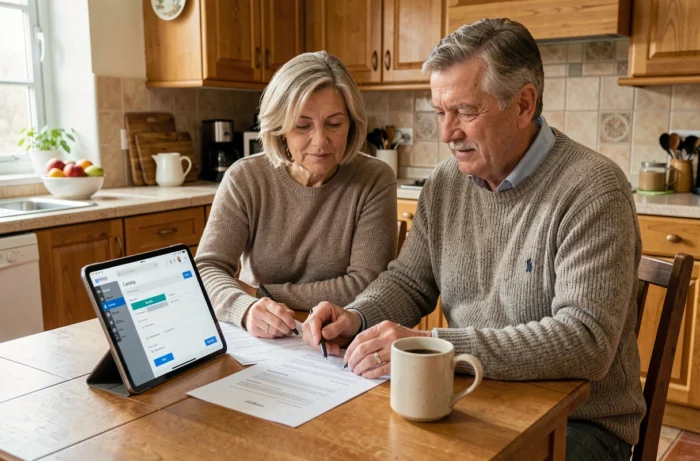
The mobile application replicates most of the functions of the web space, with a clear advantage for emergency situations. You receive a notification when a request changes status, you can report an incident by attaching a photo from your phone, and you can consult a document without opening a computer.
For a landlord on the move or a co-owner discovering a leak on a Sunday evening, reporting an incident with photos from the mobile accelerates the response. The agency receives the documented report and can initiate an intervention without email exchanges.
- Real-time notifications on the progress of requests
- Sending photos to document a claim or disorder
- Consulting documents and accounts from a smartphone or tablet
- Secure access available at all times
The application remains dependent on the responsiveness of the local agency. MyFoncia speeds up the transmission of information, but the processing time still depends on the human manager at the end of the chain. Feedback varies on this point depending on the agencies.
MyFoncia covers a significant part of remote property management: accounting tracking, exchanges with the manager, document archiving, payments. The tool does not replace direct contact with the agency for complex decisions or negotiations, but it eliminates most of the administrative back-and-forth that slows down the management of a property far from home.